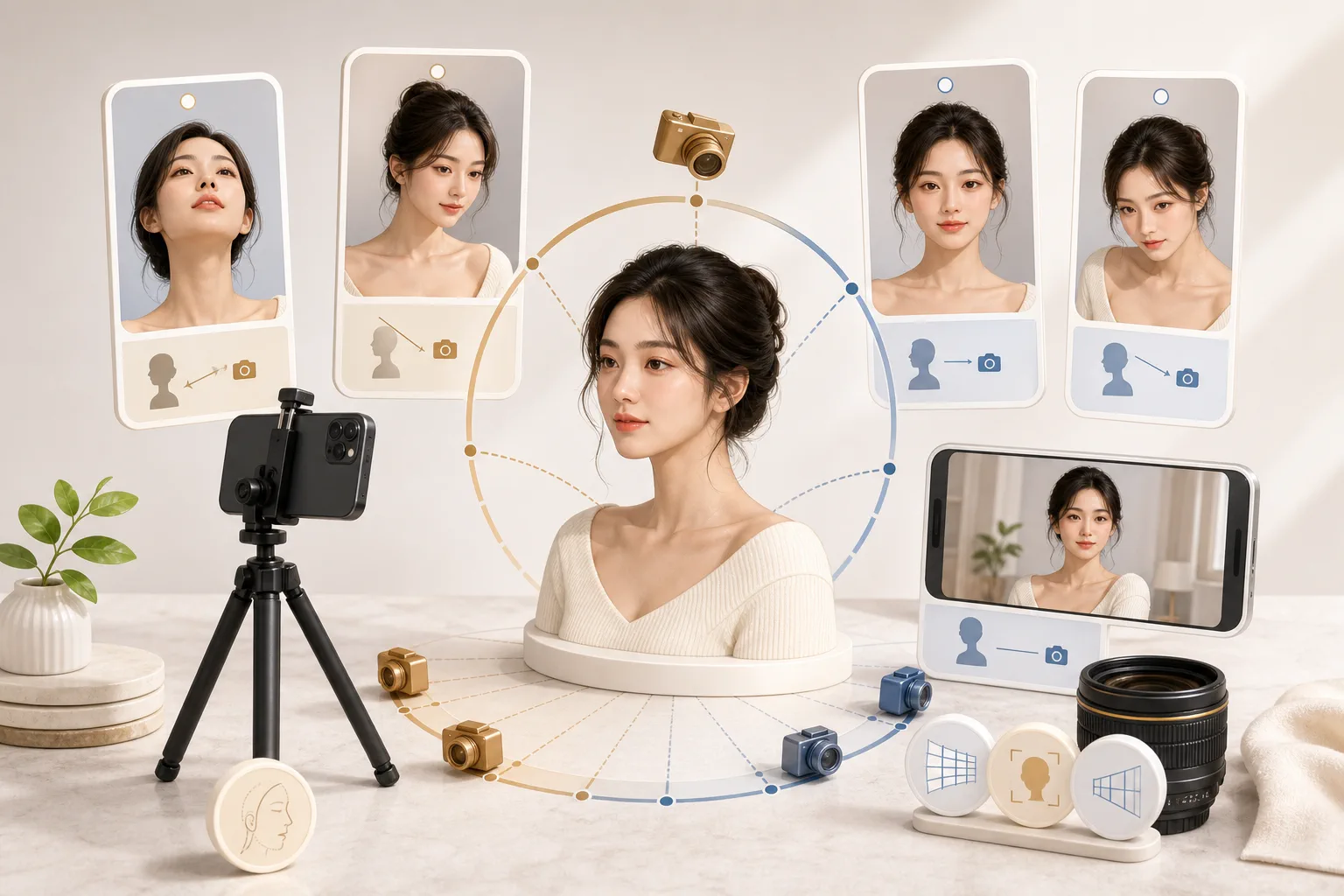
Why a selfie can feel different from real life
You liked how you looked in the mirror, but then you check the selfie you took in that exact spot and think, 'Wait, do I really look like that?' Maybe your nose looks unusually big, your face looks wider, or the whole thing just feels like a slightly different person. Here's the short answer: your appearance didn't suddenly change. A photograph simply translates light, distance, and angle in its own particular way.
Our eyes see in three dimensions with two viewpoints, and our brain constantly corrects as our head moves. A camera, by contrast, captures one moment through a single lens, from one distance and height, pressed flat onto a screen. In that process, whatever is closer gets emphasized and whatever is farther shrinks, left and right can flip, and skin tone can shift with the light. Today we'll unpack each of these gently.
One thing first. The impression or mood a photo gives off is just a visual result of that moment's lens, distance, and light. It doesn't tell you about someone's actual personality, ability, or worth. So instead of scolding yourself for 'looking worse than in person,' read this as a relaxed look at which conditions created that particular feel.
The biggest culprit: perspective distortion
The main reason a selfie clashes with real life is 'perspective distortion.' It sounds technical, but the idea is simple: whatever is closer to the lens appears larger, and whatever is farther appears smaller. When you stretch out your arm for a selfie, your nose and forehead, the parts that stick out most, sit closest to the lens. So your nose looks bigger than it really is, while things farther back, like your ears, look relatively small. That puffed-up, rounder-face feeling comes from the same place.
How distance changes proportions
The key is how close you shoot from. The nearer the lens is to your face, the more the small gap between your nose tip and your ears takes up of the whole frame, exaggerating the front-to-back ratio. Move the camera farther away and that distance gap becomes tiny by comparison, so your face is captured with flatter, more balanced proportions. Same person, same lens, yet distance alone changes the impression.
That's why the same face shot from 30cm versus from 1.5m away can look like two different people. The farther you shoot from, the closer it gets to the impression of the distance at which we normally talk face to face. A mirror sits a step or two away from you, so it feels close to that 'conversation distance' ratio, which is why the mirror feels more like 'you.'
What front-camera lenses are like
A phone's front camera has to fit your face and some background even from a short selfie distance, so it tends to have a wide field of view. Wide lenses exaggerate perspective more when you shoot up close. Add a short arm's-length distance on top of that and the distortion gets doubly emphasized. If your selfies feel especially off, it's often this 'wide lens plus close distance' combo, not your face.
Me in the mirror vs. me in a photo: the flip
Almost as confusing as perspective is the left-right flip. The face you see in the mirror every day is actually a reversed image. Yet that flipped version is the one you've memorized as your 'real face.' The you that other people see, and the you in a saved, un-flipped photo, is the mirror image's opposite.
Faces aren't perfectly symmetrical; the two sides differ subtly. Small things like eyebrow height, the tilt of your smile, or the position of a dimple suddenly clash with the balance you're used to once they're flipped. So feeling that 'the photo version of me looks stranger' is completely natural. In reality, that photo may be closer to the face everyone else always sees. Many camera apps show the preview like a mirror during front-camera shooting, then un-flip it when saving, which is why the preview and the final result feel different. It's fun to toggle the 'mirror front camera' setting in your app and compare which side feels more familiar.
The illusions made by angle and height
Even from the same distance, the camera's height and tilt can noticeably change how long your face or how sharp your jawline looks. This isn't really distortion; it's a quality of vision where proportions read differently depending on whether we look from above or below. Once you know how to use angle, you can capture the same face in the mood you want.
Low angle vs. high angle
Hold the camera below your face and shoot upward, and the chin and nostrils get emphasized, tending to make the face look wider and shorter. Hold it above your head and shoot downward, and the forehead widens and the face looks slimmer, but if you go too high, the crown of your head looks big and your expression can seem shrunken. Neither is a 'bad angle'; they're tools that create different impressions.
The safest starting point is the camera at eye level or just barely above your eyes. Eye level matches the line of sight when you talk to someone, so it feels most natural, and lifting it just a finger-width or two above your eyes tidies the jawline and brightens your gaze. Just avoiding extreme low angles makes selfies far more comfortable.
How light and white balance shift skin tone
It's a common worry that the same face shows a different skin color in every photo. That's because of white balance, the camera's color reference. The camera decides 'what counts as white' in a space and matches all the colors to it. Fluorescent light, sunset, an overcast day, and LED lighting are all different-colored light, so when the automatic reference is off, your face can come out yellowish or bluish.
The direction of light matters too. Soft light coming from the front lights the face evenly for a clean feel, while harsh light from straight above casts deep shadows under the eyes and beside the nose, making you look tired. Light from the side at a window adds dimension but can leave one side dark. So even on the same day with the same face, where you stand changes the photo's mood.
The fix is surprisingly simple. When you can, take soft natural light from a window onto your face from the front or slightly to the side, and avoid strong lighting directly overhead. If your skin color keeps coming out odd, nudge the white balance manually in your camera app, or take a step to a spot where lighting sources don't mix. Just sorting out the light gives you a more natural tone with no editing.
| Factor | Why it differs | Common result | Reference tip |
|---|---|---|---|
| Shooting distance | Closer exaggerates near features | Nose, forehead look bigger | Full arm reach plus one step back |
| Lens field of view | Wide front lens emphasizes distortion | Face looks rounder, puffier | Use rear camera with a timer |
| Mirror flip | Mirror and photo face opposite ways | Asymmetry feels unfamiliar | Compare with the app flip setting |
| Angle and height | Up or down view changes proportions | Jaw and face length shift | Eye level or just slightly above |
| Light and white balance | Each light has its own color reference | Skin reads yellowish or bluish | Use soft window daylight |
Practical tips for shots closer to real life
Now that you know the principles, here are methods you can use right away. The core is three things: add distance, match eye level, and choose your light. Applying even one brings your selfie much closer to real life.
First, distance. Stretch your arm all the way out, and if you can, set a timer on a selfie stick or the rear camera and step back a pace or two. The more distance you add, the less perspective is exaggerated and the more natural your proportions look. The rear camera usually has better quality and a less-wide view than the front, so it distorts less. Second, height and angle. Keep the camera at eye level or just above, and avoid extreme low angles. Third, light. Take soft window light from the front and skip harsh overhead lighting, and your skin tone steadies.
Finally, one more note on mindset. The difference between a flattering selfie and an awkward one is mostly not your appearance but the conditions of lens, distance, angle, and light. So please don't judge yourself over one shot you dislike. A photo is only a reference for capturing a mood, and an impression doesn't tell you about someone's personality or ability. Pick just one tip from today and try it on your next selfie. A hand-span more distance, a hair's change of angle, and you may get a shot that makes you think, 'Ah, that's me.'
Frequently asked questions
My selfies look so different from real life, why is that?
Front cameras use a wide-angle lens, so holding the phone close exaggerates whatever is nearest, like your nose or forehead, creating perspective distortion. On top of that, the mirror image you see every day is flipped, so the un-flipped photo simply feels unfamiliar. You don't look off in person; the lens and distance just captured a different impression, so don't worry too much.
What shooting distance makes a selfie look more like the real me?
Stretch your arm out and shoot from at least 30 to 40cm away, and the perspective distortion drops noticeably. If you want it even farther, step back a bit and lightly crop the photo afterward for a natural look. Just adding distance brings your nose-to-face balance much closer to the impression you see in the mirror.
Which is closer to my real impression, the front or rear camera?
The rear camera usually has less wide-angle distortion and better image quality, so it tends to capture an impression closer to how you normally look. Using a self-timer or the volume-button shutter makes it easy to shoot solo with the rear camera too. This is just a fun tip for reference; it doesn't judge your personality or abilities, so enjoy it lightly.
Article info & references
Published June 13, 2026 · Last updated June 13, 2026
- General photography knowledge on how shooting distance and perspective affect facial proportions
- General optics concept of the relationship between lens field of view and distortion of close subjects
- General knowledge about the left-right difference between mirror and un-flipped images and facial asymmetry
- General photography knowledge on how white balance and color temperature affect a photo's colors
- General lighting concept of how light direction and shadow change a portrait's impression